
Yes — you can see the full American Airlines standby list in the AA app, and it includes revenue standby passengers, not just non-revs. The Waitlist view opens 24 hours before departure and covers every cabin. Below is how to find it, how to read it as a non-rev, and what the website and gate displays will and won’t tell you.
A few airlines let you check your position on the standby list using an app, their website, or the airport gate displays. This series covers each of them so you have a better standby experience.
Flight Loads: Air Canada | Alaska Airlines | American Airlines | British Airways | Delta Air Lines | United Airlines
The American Airlines App (the Waitlist)
This is the method that actually works, so start here.
First, download the American Airlines app: Apple iOS | Android. This page explains the rest of the app’s functionality.
You can reach the standby list two ways: by opening your itinerary once you’re checked in, or through Flight Status — which works even when the flight isn’t yours. Tap More in the lower left, then Flight status.
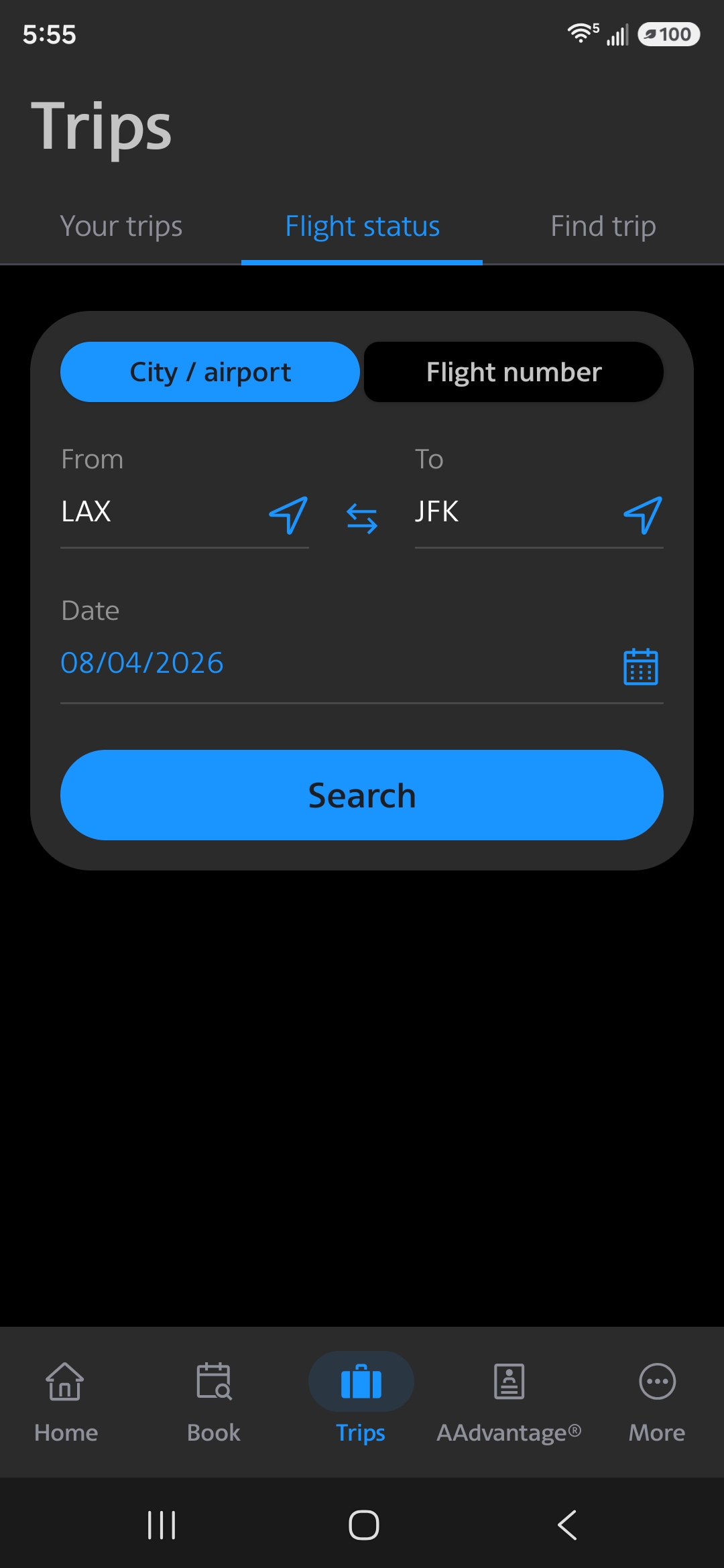
The Flight Status screen in the American Airlines app
Search for your flight
Enter your From and To, tap Search, and you’ll get the day’s flights for that city pair.
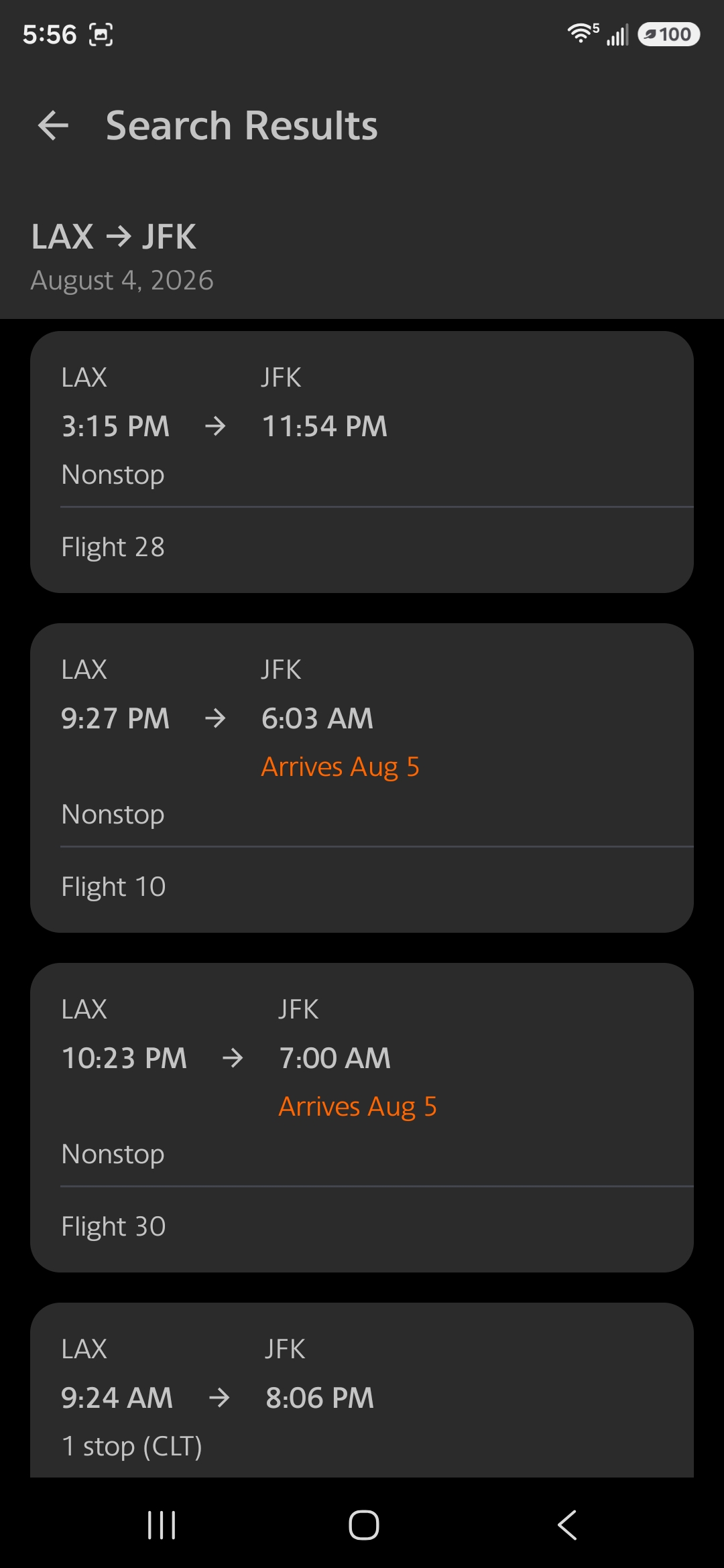
Flight status search results for LAX to JFK
Tap the flight you want and you’ll land on its status page.
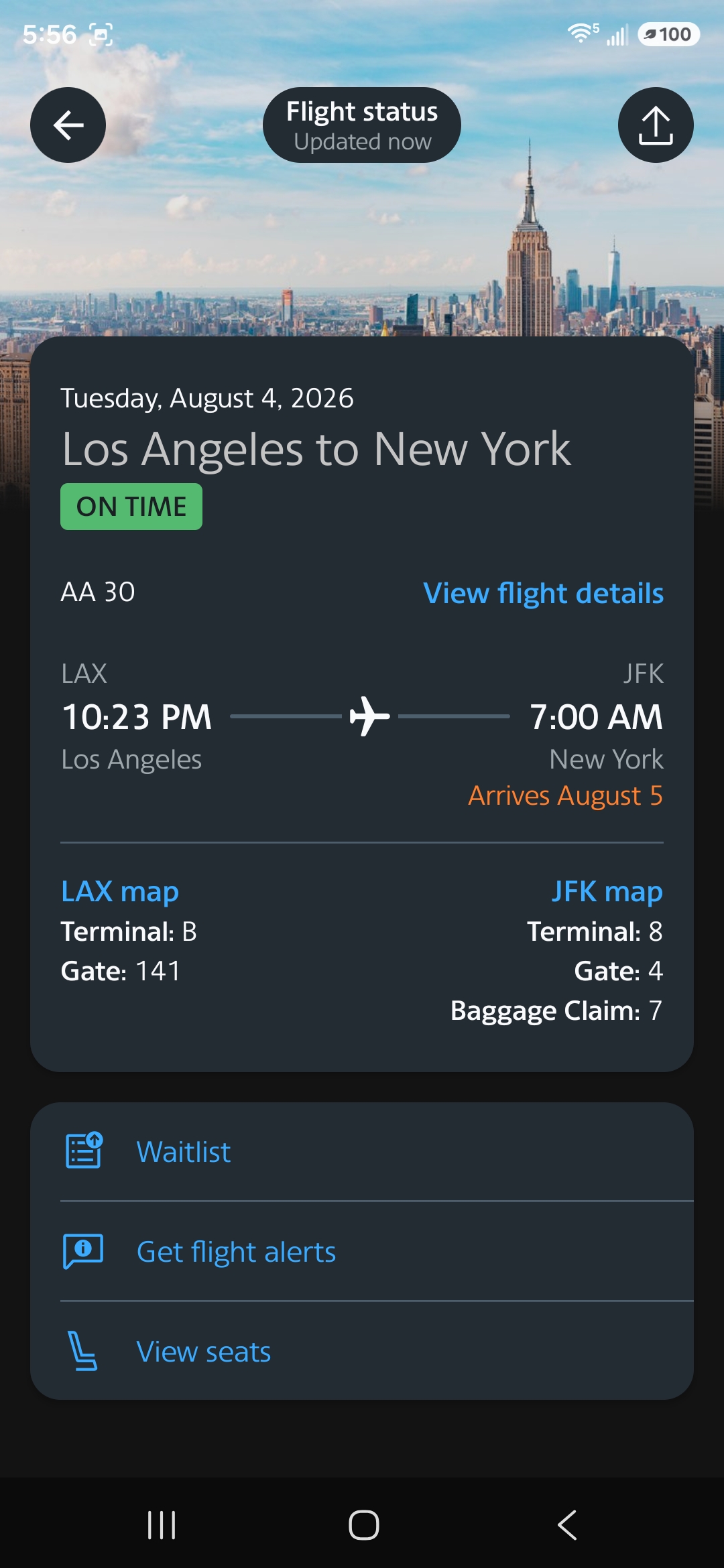
Flight status for AA30, LAX to JFK
Open the Waitlist
Tap Waitlist to see the standby list. This link only appears within 24 hours of departure — before that window there’s nothing to see. Use the down arrow to switch between cabins.
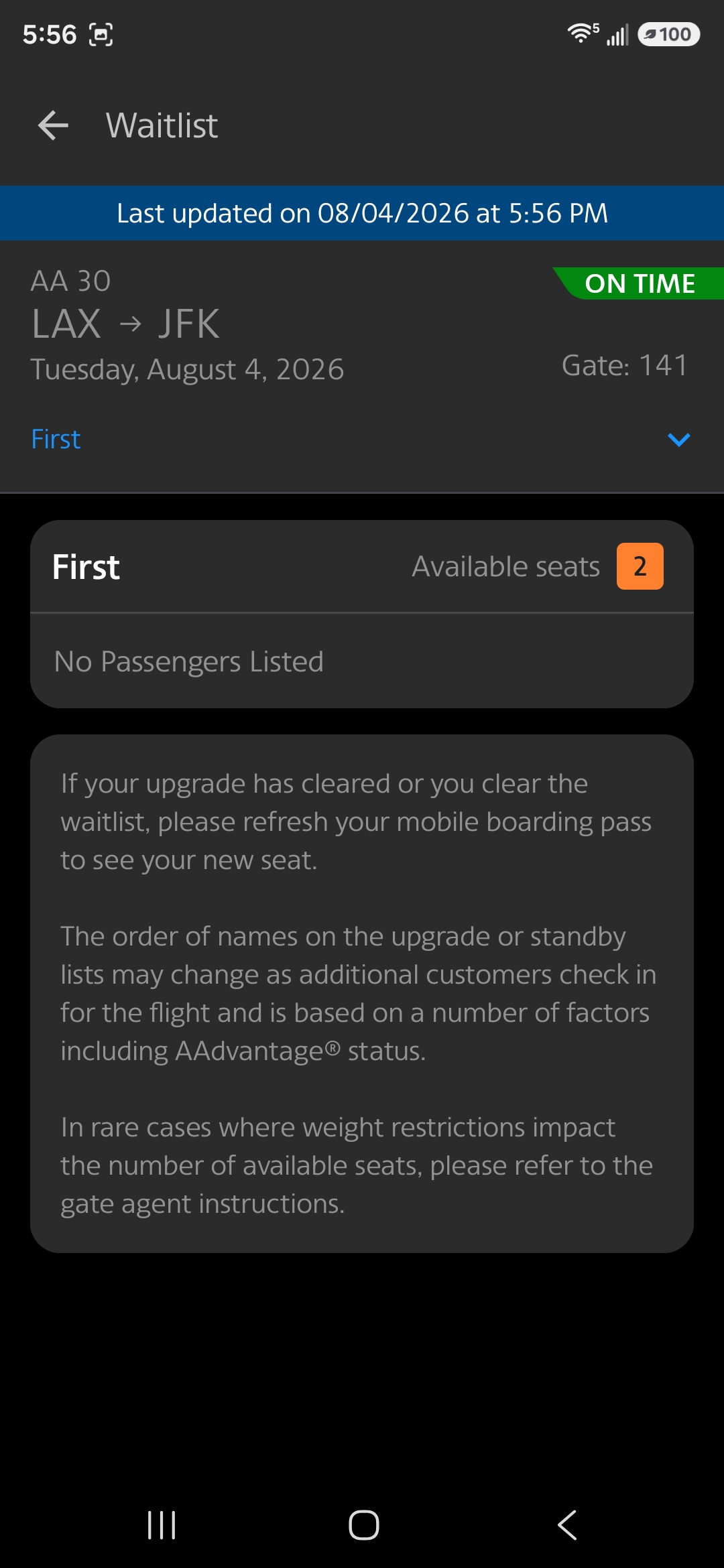
The First Class waitlist — mostly upgrade requests
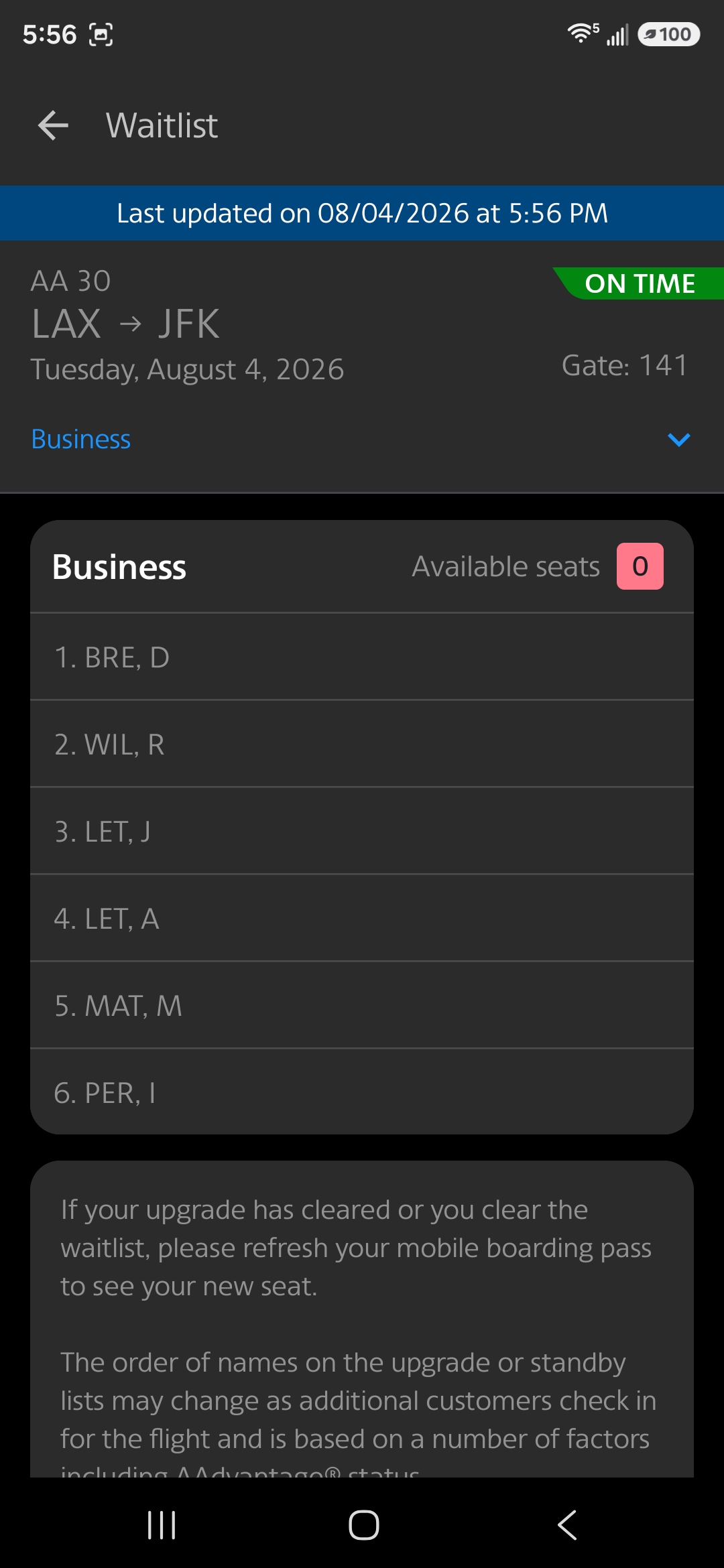
The Business Class waitlist
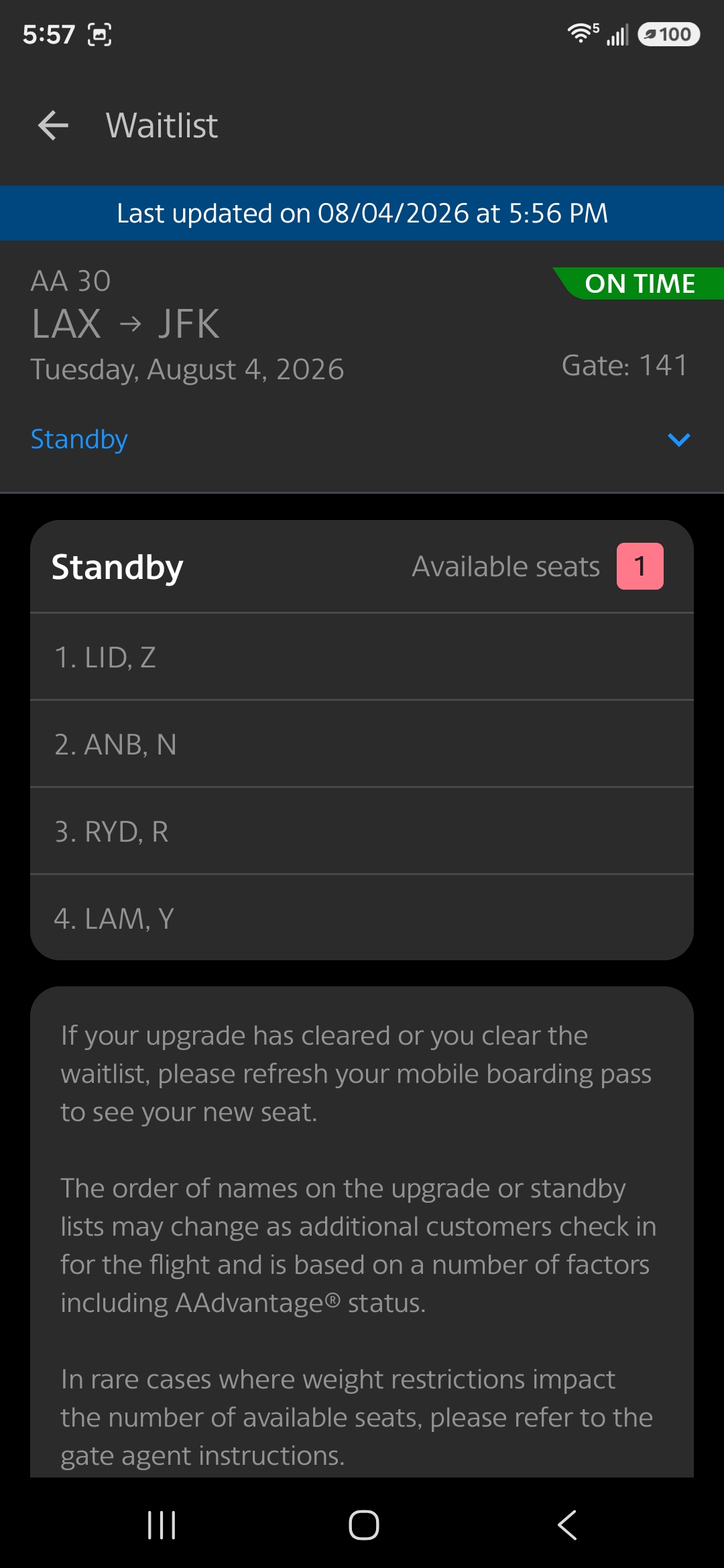
The Economy standby list. This includes revenue customers who have not yet been assigned a seat
Reading the AA standby list as a non-rev
This is the part that matters, and it’s where most people misread what they’re looking at.
The list is not all non-revs. It mixes everyone waiting for a seat in that cabin — passengers who misconnected, same-day flight changes, revenue standbys, upgrade requests, and non-revs. Of course, those revenue passengers clear ahead of you.
A short list isn’t automatically good news. Six names on a full aircraft is worse than twenty names on a half-empty one. The list tells you how many people are waiting, not how many seats are coming free — those are two different numbers, and only the second one gets you on.
Check every cabin, not just yours. A long First Class upgrade list means those upgrades will clear economy seats as they’re processed, which can quietly improve your odds even though none of those names are competing with you.
Look early, then look again. The list within 24 hours of departure is a snapshot. Misconnects, same-day changes and no-shows reshuffle it right up to boarding, and the version you see the night before rarely survives to the gate.
Not much you can do but just wait for a seat to appear next to your name on the App and on the Gate FIDs.
The one number this view can’t give you is how full the flight actually is, which is what decides whether any of this matters.
✈️ New — Passrider Flight Loads App
Stop guessing your standby odds. Request flight loads and see how full your OA flight really is — before you head to the airport.
Spotted a bug or have a suggestion? Email me — I read every message.
The AA website (View Available Seats)
This is the least reliable method, and it’s worth knowing why before you rely on it. It shows assigned and unassigned seats — but an unassigned seat may already be sold and simply not allocated yet. An open seat on the map does not mean an open seat on the aircraft.
It does get more accurate as departure approaches and people check in, though some seats are only ever assigned at the gate on the day.
To use it, go to aa.com/booking/find-flights, or navigate there via AA.com > Plan Travel > Book Flights. Enter your From, To and departure date.
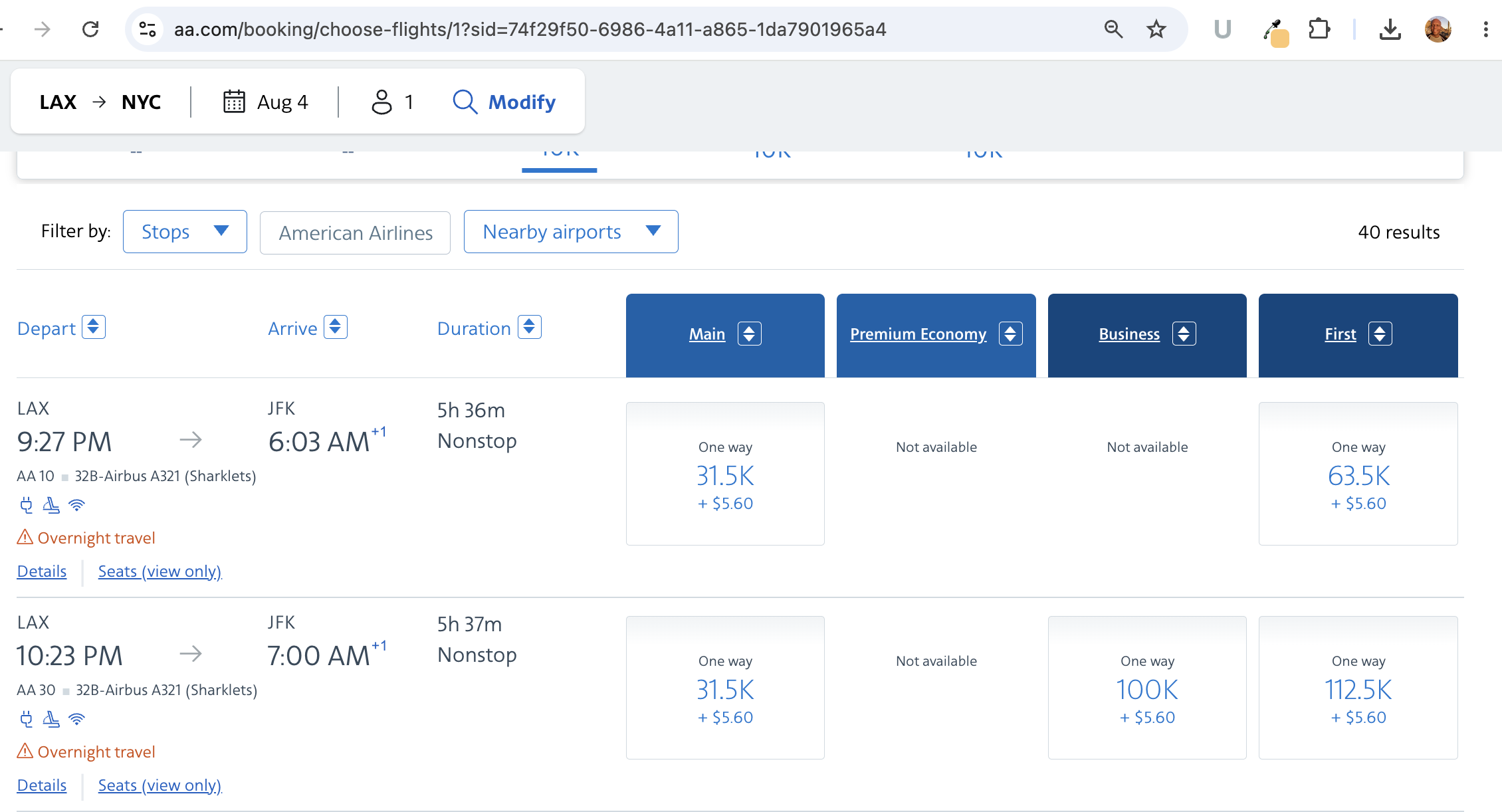
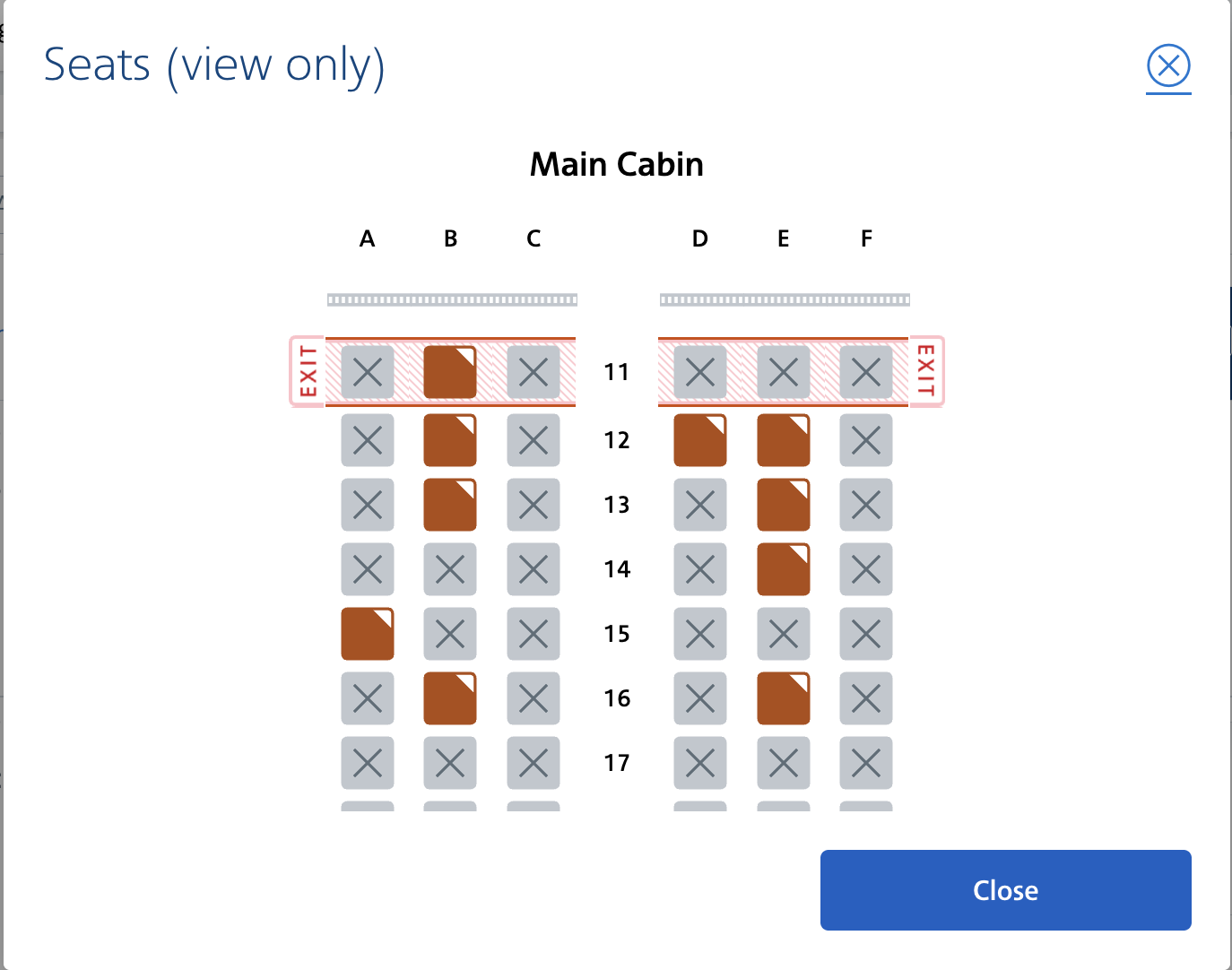
The aa.com seat map, showing assigned and unassigned Economy seats for LAX to JFK
At the airport gate
The gate information displays show the standby list directly. This is the most current view you’ll get — it’s the same data the agent is working from.

An American Airlines gate display showing the standby list
Common questions
How do I check my standby status on American?
Open the AA app, go to More > Flight status, find your flight, and tap Waitlist. It appears within 24 hours of departure. If you’re already checked in, you can also reach it from your itinerary.
Can I see the AA standby list on the website?
Not the standby list itself. aa.com only shows the seat map with assigned and unassigned seats, which is a rough and often misleading proxy. The app is the only place the actual list appears.
How early does the AA waitlist appear?
24 hours before departure. Earlier than that, the Waitlist link isn’t there.
Does the AA standby list show revenue passengers too?
Yes. The Economy list includes revenue customers who haven’t been assigned a seat yet, alongside non-revs. This is why your visible position can be misleading — several of the names above you may not be non-revs at all.
If you found this useful, share it with your fellow passriders — and leave a note below and let me know what you think.
Comments 15
Pingback: Flight Loads: How To Check Airport Standby Position For British Airways (BA)
Pingback: Flight Loads: How To Check Airport Standby Position For United Airlines (UA)
Pingback: Flight Loads: How To Check Airport Standby Position For Alaska Airlines (AS)
We will be pass riding to Spain (BCN) from MIA (July). My wife and I were discussing what day of the week would we have the greatest chance to board the carriers who fly direct (IB, AA, BA). We know that the days of getting on board as a pass rider are diminishing as carriers load their flight more, but we wish to make a decision as to what day to pass ride in lieu of the high-risk of not boarding.
Thanks for your much appreciated suggestion(s).
ENRIQUE
Author
Enrique,
That’s a tough one, but typically Tuesdays and Wednesdays are the least traveled days even during the middle of summer. You may have to fly into another city say Madrid and take a connecting flight, a bus or train. It takes longer, but at least you’ll get there.
There are shuttle flights from MAD to BCN on Iberia all day long.
Kerwin
http://www.Passrider.com
http://www.Facebook.com/Passrider
Pingback: Flight Loads: How To Check Airport Standby Position for Frontier (F9)
[…] Airlines | American Airlines | British Airways | Frontier […]
I downloaded the andriod AA app this morning, and I cannot get it to display the upgrade list. When I go to flight details, there is no yellow band, or anything else, that says “view upgrade list”. I have tried it fr several flights departing today, with departures as soon as 1 hour from now and as far as 6 hours from now.
What might I be doing wrong??
I downloaded the andriod AA app this morning, and I cannot get it to display the upgrade list. When I go to flight details, there is no yellow band, or anything else, that says “view upgrade list”. I have tried it fr several flights departing today, with departures as soon as 1 hour from now and as far as 6 hours from now.
What might I be doing wrong??
It appears that American has disabled the seat availability feature on its main website.
Just FYI, I got the seat availability list yesterday or the day before so maybe it was just down or unavailable for a short time? Too bad AA doesn’t make it as easy to access that and other standby info as UA does or at least did. I have been having a harder and harder time accessing the non-employee pass rider sign in we used to use. It keeps taking me to the employee sign in needing the n# now unfortunately. Do you happen to know anything about changes they have made?
It appears that American has disabled the seat availability feature on its main website.
Just FYI, I got the seat availability list yesterday or the day before so maybe it was just down or unavailable for a short time? Too bad AA doesn’t make it as easy to access that and other standby info as UA does or at least did. I have been having a harder and harder time accessing the non-employee pass rider sign in we used to use. It keeps taking me to the employee sign in needing the n# now unfortunately. Do you happen to know anything about changes they have made?
Title of this article: American Airlines Standby: How To Check Airport Standby Position
Content of this article: how to check if you are on the UPGRADE list, not standby
Title of this article: American Airlines Standby: How To Check Airport Standby Position
Content of this article: how to check if you are on the UPGRADE list, not standby